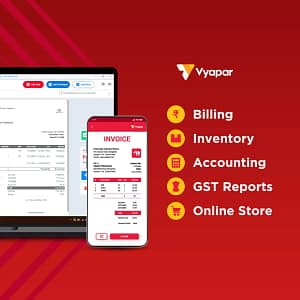
Vyapar billing software available for all types of indian business to download free trial 7 days
Introduction to Vyapar Billing Software
Vyapar billing software available for all types of indian business to download free trial 7 days
Vyapar billing software available for all types of indian business to download free trial 7 days Vyapar Billing Software is a simple, powerful, and user-friendly accounting and billing solution designed especially for small and medium businesses in India. It helps business owners manage billing, inventory, GST, payments, and daily accounts easily—without needing advanced accounting knowledge.
Vyapar is widely used by shopkeepers, wholesalers, retailers, service providers, manufacturers, and freelancers. The software works on Android mobile, Windows PC, and tablet, making it flexible for different business needs. Even businesses in rural and semi-urban areas prefer Vyapar because of its easy interface and support for local business confirms.
One of the biggest advantages of Vyapar Billing Software is its GST-ready billing system. It allows users to create GST invoices, manage tax reports, and stay compliant with Indian tax rules. Along with billing, Vyapar also helps track stock levels, record expenses, manage customers and suppliers, and monitor profit and loss in real time.
Vyapar works offline as well, which is very helpful for businesses with limited or unstable internet connectivity. Data can be safely backed up and synced when the internet is available. The software also supports multiple languages, making it comfortable for users across India.
In short, Vyapar Billing Software is an all-in-one business management tool that saves time, reduces manual errors, and helps business owners focus on growth rather than paperwork.
Here’s a clear overview of the key features of Vyapar Billing Software — a popular billing, invoicing, inventory and accounting solution used by small and medium businesses: (Vyapar App)
✅ 1. GST-Compliant Billing & Invoicing
Create professional GST invoices with HSN/SAC codes and tax details.
Customizable invoice templates with branding, company details and payment terms.
Print or share invoices via WhatsApp, email, PDF and SMS. (Vyapar App)
✅ 2. Inventory & Stock Management
Track stock in real-time — including low stock alerts, batch numbers, expiry dates, and barcode scanning.
Automatic stock updates after sales or purchase transactions.
Manage multiple warehouses and stock transfers between locations. (Vyapar App)
✅ 3. Accounting & Financial Reports
Generate key financial statements like Profit & Loss, Balance Sheet, Cash Flow, GST summaries, and sales/purchase reports.
Visual dashboards help you monitor business performance and trends.
Export reports in Excel or PDF for further analysis or tax filing. (Vyapar App)
✅ 4. Receivables, Payables & Payment Tracking
Track who owes you and whom you owe using detailed ledgers.
Send payment reminders via WhatsApp/SMS/email.
Monitor payment statuses — paid, unpaid, or partially paid — all from one place. (Vyapar App)
✅ 5. Barcode & POS Support
Generate barcodes for products and use barcode scanning at billing to speed up sales and reduce errors.
Barcode billing is particularly useful for retail stores and supermarkets. (Capital Web)
✅ 6. Multi-User & Role-Based Access
Create multiple user accounts with restricted permissions for staff.
Business owners can control access levels and maintain accountability.
Audit logs record who made what changes. (Vyapar App)
✅ 7. Customer & Supplier Management
Maintain detailed databases of customers and suppliers, including contact info and transaction history.
Track credit limits, due amounts, and purchase histories to improve relationships. (Vyapar App)
✅ 8. Online Store & Digital Sales
Create an online store in minutes to list your products and let customers order digitally.
Improves customer experience with options for pickup or delivery. (Vyapar App)
✅ 9. Cloud Backup & Data Security
Automatic cloud backups (e.g., Google Drive) with encrypted storage to keep your data safe.
Restore backups easily when switching devices or restoring data. (Vyapar App)
✅ 10. Multi-Device Access (Mobile + Desktop)
Work from smartphones, tablets, or desktops, and sync data in real-time across devices.
Offline access lets you invoice and manage data even without internet. (Vyapar App)
🛠 Additional Useful Features
✔ Expense tracking and categorization
✔ Sale/purchase order management
✔ Integrated cash & bank account tracking
✔ Automated tax calculations
✔ Delivery receipts and order fulfillment tracking (Vyapar App)
✅ In short: Vyapar is an all-in-one billing and accounting tool designed to help small and medium businesses digitize their billing, inventory and financial processes — making operations simpler, faster and more accurate. (Vyapar App)
Here’s a detailed overview of Vyapar Billing Software App — one of the popular business management apps used by small and medium businesses, especially in India:
📱 What is Vyapar Billing Software?
Vyapar billing software available for all types of indian business to download free trial 7 daysVyapar
is an all-in-one business app designed to help small and medium enterprises (SMEs) manage billing, GST invoicing, accounting, inventory, and more from one platform. It’s built to simplify daily business tasks and improve efficiency. (Vyapar App)
It’s widely used by businesses like retail stores, wholesalers, service providers, and others that need to create professional invoices and keep accurate financial records. (Vyapar App)
Integrated Point-of-Sale for fast billing at retail counters.
Works with barcode scanners and various printers. (Vyapar App)
🌐 Other Useful Tools
Online Store: List products online and accept digital orders.
Multi-user access and multi-device sync.
Work online or offline so billing never stops due to internet issues. (Vyapar App)
💸 Pricing & Plans
Vyapar billing software available for all types of indian business to download free trial 7 days
Vyapar provides a free basic mobile app with core billing features. They also offer paid plans that unlock advanced features like multi-device sync, unlimited companies, extra GST/e-way bill support, and more. (Vyapar Community)
Typical subscription types include:
Mobile Basic & Premium Plans
Desktop Basic & Premium Plans
Desktop + Mobile Combo
Pricing may vary with offers and promotions, but generally, annual plans are affordable for small business owners. (Capital Web)
💡 Example pricing (approximate):
Mobile Premium: ~₹1,999/year
Desktop Premium: ~₹3,299/year
Desktop + Mobile Combo: ~₹3,999/year (Capital Web)
📥 Platforms & Access
Vyapar billing software available for all types of indian business to download free trial 7 days
Vyapar is available on:
Android app (free with paid upgrades)
iOS / iPad app – for billing & business management on Apple devices. (App Store)
Windows/Desktop version – with a free trial and paid subscription for advanced features. (Vyapar App)
👍 Why Businesses Choose Vyapar
Vyapar billing software available for all types of indian business to download free trial 7 days
Pros
User-friendly interface — easy to start even without accounting knowledge.
Works offline — useful in areas with poor internet.
Integrated business management in one app.
Affordable subscription plans for small businesses. (Vyapar App)
Cons (based on some user feedback)
Advanced features may require a paid plan.
Some users note the interface can feel overwhelming initially. (Reddit)
Any business needing GST billing + inventory + accounting in one place. (Vyapar App)
Here’s a simple, step-by-step guide on how to use Vyapar billing software to create invoices, manage inventory, and run your small business smoothly: (Vyapar App)
📥 1. Install Vyapar
Mobile: Download the Vyapar app from the Google Play Store or Apple App Store. (App Store)
Desktop: Go to the Vyapar website and download the desktop version for Windows. (Vyapar App)
Sign in with your mobile number and verify with an OTP for quick setup. (Vyapar App)
🧾 2. Set Up Your Business
Go to My Company / Business Settings. (Vyapar App)
Add your business name, address, GSTIN, phone, email, and logo (optional). (Vyapar App)
This info will automatically appear on all bills and invoices. (Vyapar App)
Add customer details such as name, phone, address, GST number, and opening balance. (Vyapar App)
Do the same for suppliers to track purchases and payables. (Vyapar App)
🧾 5. Create a Sales Invoice (Billing)
Go to the Billing / Sales Invoice section.
Select or add a customer.
Choose the products/services sold.
Vyapar will automatically calculate GST and totals. (Vyapar App)
Review and save the invoice.
👉 You can print the invoice or send it directly via WhatsApp, email, SMS. (Vyapar App)
📊 6. Track Payments & Dues
Mark invoices as paid, partially paid, or unpaid. (Vyapar App)
Vyapar will show due amounts and help you keep track of receivables. (Vyapar App)
You can send payment reminders to customers as well. (Vyapar App)
📦 7. Manage Inventory
Vyapar automatically updates stock every time you make a sale or purchase. (Vyapar App)
Track items that are running low and set alerts if needed. (Vyapar App)
You can also use barcode scanning for faster billing. (Vyapar App)
📈 8. Run Reports
Vyapar gives you ready-made reports for:
Sales & purchases
GST summaries
Profit & Loss
Balance Sheet
These help with accounting and tax filing. (Vyapar App)
🛍️ 9. (Optional) Online Store
You can enable an online store within Vyapar:
List products online
Share store link with customers
Let customers place orders directly
This helps boost your sales without a separate website. (Vyapar App)
💡 Tips for Best Use
✔ Always backup your data (cloud or local) to prevent data loss. (Vyapar App)
✔ Explore tutorials on the Vyapar site to learn advanced features like GST reports, e-invoicing, and more. (Vyapar App)
✔ Customize invoice formats to match your brand. (Vyapar App)
Here is a clear and professional conclusion you can use for an article on Vyapar Billing Software:
Conclusion: Vyapar Billing Software
Vyapar Billing Software is a powerful, user-friendly, and affordable solution designed especially for Indian small and medium businesses. From creating GST-compliant invoices to managing inventory, tracking expenses, and monitoring profits, Vyapar simplifies daily business operations in one single app.
Whether you run a retail shop, wholesale business, manufacturing unit, or service-based enterprise, Vyapar helps you save time, reduce errors, and maintain accurate financial records. Its offline working capability, multi-language support, and easy mobile usage make it ideal even for non-technical users.
With features like automated tax calculations, real-time stock updates, customer and supplier management, and detailed business reports, Vyapar enables better decision-making and business growth. Overall, Vyapar Billing Software is a reliable digital partner for businesses looking to move towards smart, paperless, and efficient billing management in 2026 and beyond.
how to use all types of business vyapar billing software
Vyapar billing software available for all types of indian business to download free trial 7 days
Here’s a simple, step-by-step guide on how an Electrical Shop Owner can use Vyapar Billing Software effectively. This is written in easy English and focused on daily electrical shop needs like items, GST, stock, and payments.
How to Use Vyapar Billing Software for Electrical Shop Owners
Vyapar Billing Software is very useful for electrical shops selling items like wires, switches, bulbs, fans, pipes, MCBs, and appliances. It helps you create bills, manage stock, track GST, and see profits easily.
1. Install & Set Up Vyapar
Download Vyapar App from Play Store / Desktop version
Item Name (LED Bulb 9W, Switch 6A, Copper Wire 1mm)
Item Type: Product
HSN Code (for GST)
GST Rate (5%, 12%, 18%, 28%)
Purchase Price
Selling Price
Stock Quantity
Unit (pcs, meter, box, roll)
👉 This helps in automatic stock reduction after billing.
3. Create Customer Bills (Sales Invoice)
Go to Sales → Create Invoice
Steps:
Select customer (or add new customer)
Add electrical items
Enter quantity
Apply GST automatically
Add discount (if any)
Choose payment method:
Cash
UPI
Bank
Partial payment
Click Save & Print / Share (WhatsApp PDF).
4. GST Billing for Electrical Items
Vyapar automatically calculates:
CGST + SGST (local sales)
IGST (outside state)
Generates GST-ready invoices
Helps in GST return filing
5. Manage Stock & Inventory
Go to Stock / Items Report
Check:
Low stock items (wires, switches, bulbs)
Out-of-stock alerts
Add stock using Purchase Entry
Track fast-moving electrical items
6. Purchase Entry (From Suppliers)
Go to Purchase → Add Purchase
Enter supplier name
Add purchased items
Update stock automatically
Track supplier payments
7. Track Payments & Dues
View Customer Due Report
Send payment reminders via WhatsApp
Track supplier dues
Daily cash & UPI balance
8. Profit & Sales Reports
Go to Reports
Daily / Monthly Sales
Item-wise profit (bulbs, wires, fans)
GST summary
Expense reports
This helps you know which electrical items give more profit.
9. Print Bills & Barcode Support
Connect thermal or laser printer
Print invoices easily
Use barcode scanning for fast billing (optional)
10. Backup & Multi-Device Use
Enable Cloud Backup
Use Vyapar on:
Mobile
Laptop / Desktop
Data stays safe even if phone is lost
Benefits for Electrical Shop Owners
✅ Fast billing
✅ Accurate GST calculation
✅ Easy stock management
✅ WhatsApp bill sharing
✅ Profit tracking
✅ Suitable for small & medium electrical shops