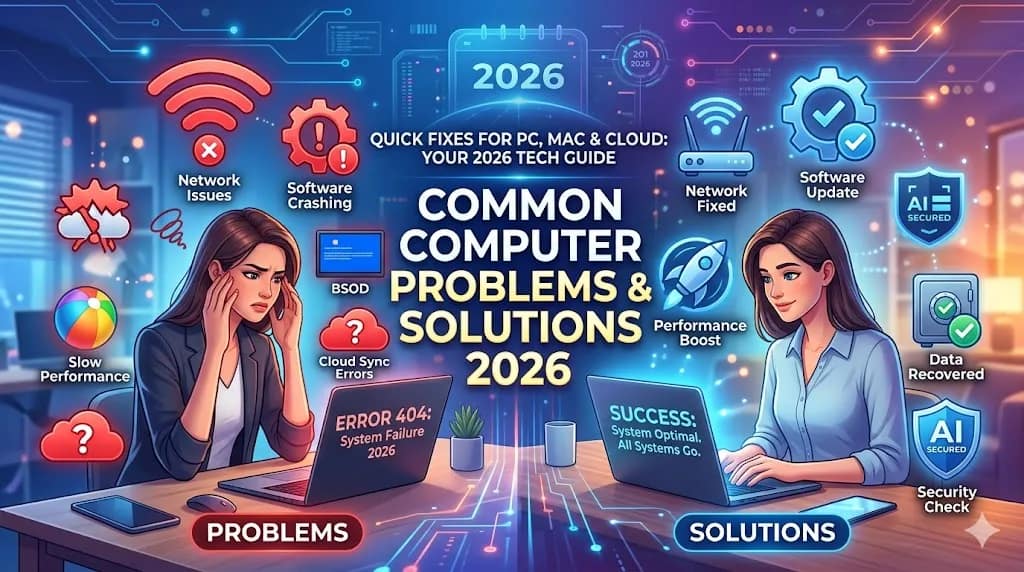
Common computer problems and solutions 2026
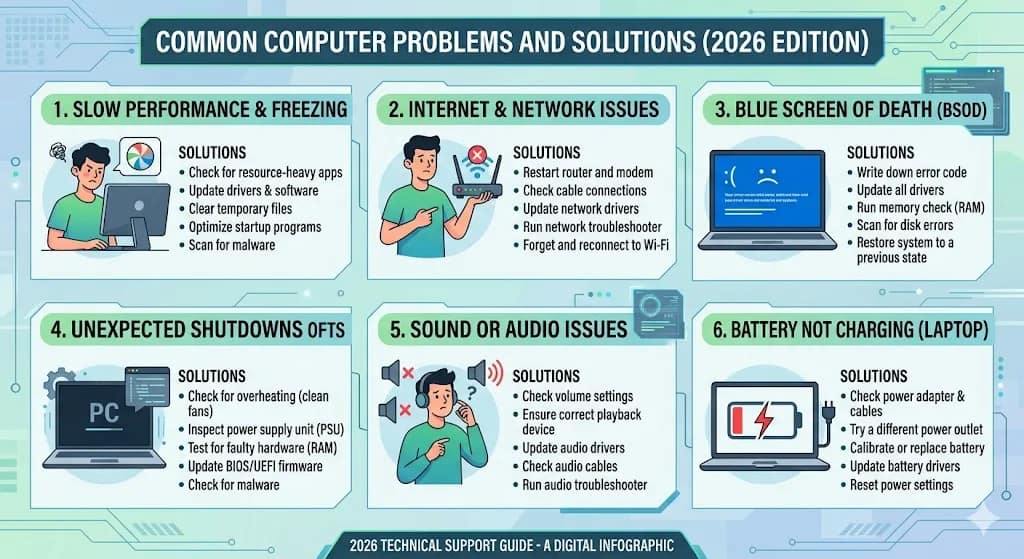
Common computer problems and solutions 2026 Common Computer Problems and Solutions (2026 Guide)
Introduction

Common computer problems and solutions 2026In today’s digital world, computers play a vital role in our daily life—whether for work, education, or business. However, users often face various technical issues that slow down performance or stop work completely. Understanding common computer problems and their solutions can save time, money, and frustration.
In this complete guide, we will explain the most common computer issues and provide simple troubleshooting solutions that anyone can follow.
1. Slow Computer Performance
Problem:
Your computer becomes slow, programs take time to open, and overall performance decreases.
Causes:
-
Too many startup programs
-
Low RAM
-
Virus or malware
-
Full hard drive
Solution:
-
Disable startup programs using Task Manager
-
Upgrade RAM (minimum 8GB recommended in 2026)
-
Run antivirus scan
-
Delete temporary files (use Disk Cleanup)
2. Computer Not Turning On
Common computer problems and solutions 2026
Problem:
PC does not power on or shows no display.
Causes:
-
Power supply issue
-
Loose cables
-
Faulty motherboard or RAM
Solution:
-
Check power cable and switch
-
Try different power socket
-
Remove and reinsert RAM
-
Test with another power supply
3. Internet Not Working
Common computer problems and solutions 2026
Problem:
No internet connection or slow browsing.
Causes:
-
Router issues
-
Network driver problem
-
ISP downtime
Solution:
-
Restart router and modem
-
Update network drivers
-
Check Wi-Fi settings
-
Contact internet provider
4. Blue Screen of Death (BSOD)
Problem:
System crashes with a blue screen error.
Causes:
-
Driver conflicts
-
Hardware failure
-
Corrupted system files
Solution:
-
Update drivers
-
Run Windows Update
-
Use System Restore
-
Check hardware (RAM, HDD)


5. Overheating Problem
Problem:
Computer gets too hot and shuts down automatically.
Causes:
-
Dust inside CPU
-
Faulty cooling fan
-
Poor ventilation
Solution:
-
Clean internal components
-
Replace thermal paste
-
Ensure proper airflow
-
Use cooling pad for laptops
6. Software Not Responding
Problem:
Applications freeze or stop responding.
Causes:
-
Low system resources
-
Software bugs
-
Compatibility issues
Solution:
-
Close unused programs
-
Restart system
-
Update software
-
Reinstall problematic apps
7. Virus and Malware Attacks
Common computer problems and solutions 2026
Problem:
Unexpected pop-ups, slow system, or data loss.
Causes:
-
Downloading from unsafe websites
-
Using pirated software
-
Clicking unknown links
Solution:
-
Install trusted antivirus
-
Scan system regularly
-
Avoid suspicious downloads
-
Enable firewall
8. Hard Disk Failure
Common computer problems and solutions 2026
Problem:
Data loss, unusual noise, or system crashes.
Causes:
-
Physical damage
-
Old hard drive
-
Bad sectors
Solution:
-
Backup data immediately
-
Use disk checking tools
-
Replace hard drive with SSD
9. Keyboard or Mouse Not Working
Common computer problems and solutions 2026

Problem:
Input devices stop responding.
Causes:
-
Driver issues
-
Hardware damage
-
Loose connection
Solution:
-
Reconnect device
-
Update drivers
-
Try different USB port
-
Replace if damaged
10. Printer Not Printing
Common computer problems and solutions 2026
Problem:
Printer is connected but not printing.
Causes:
-
Driver issues
-
Paper jam
-
Offline status
Solution:
-
Restart printer
-
Check connections
-
Update printer drivers
-
Clear print queue
11. No Sound Problem
Problem:
No audio output from speakers.
Causes:
-
Muted volume
-
Driver issues
-
Faulty speakers
Solution:
-
Check volume settings
-
Update audio drivers
-
Test with headphones
-
Restart system
12. Screen Display Issues
Problem:
Blank screen, flickering, or low resolution.
Causes:
-
Graphics driver issue
-
Loose cable
-
Monitor problem
Solution:
-
Update display drivers
-
Check HDMI/VGA cable
-
Adjust resolution settings
-
Replace monitor if needed
13. USB Devices Not Recognized
Problem:
USB devices not detected by system.
Causes:
-
Driver problem
-
Faulty USB port
-
Device damage

Solution:
-
Restart PC
-
Try different USB port
-
Update USB drivers
-
Check device on another computer
14. Operating System Crashes
Common computer problems and solutions 2026
Problem:
Windows crashes frequently or fails to boot.
Causes:
-
Corrupted OS files
-
Virus infection
-
Hardware failure
Solution:
-
Run System Repair
-
Reset or reinstall OS
-
Scan for viruses
-
Check hardware components
15. Battery Draining Fast (Laptop)
Problem:
Laptop battery drains quickly.
Causes:
-
Background apps
-
Old battery
-
High brightness
Solution:
-
Reduce brightness
-
Close background apps
-
Enable battery saver
-
Replace battery if old
Preventive Tips for Computer Maintenance
To avoid common computer problems, follow these best practices:
-
Keep your system updated
-
Install antivirus software
-
Clean your PC regularly
-
Avoid downloading unknown files
-
Backup important data
-
Use SSD instead of HDD for better performance
Conclusion
Understanding common computer problems and solutions helps users fix issues quickly without depending on technicians. With proper maintenance and basic troubleshooting knowledge, you can improve your system performance and avoid major failures.
This guide is perfect for beginners, technicians, and anyone who wants to maintain their computer efficiently in 2026.
PLEASE SUBSCRIBE MY WEBSITE TO CLICK HERE
TO CLICK HERE TO MORE INFORMATION