


how to check original windows product key through command prompt in windows 11 2026
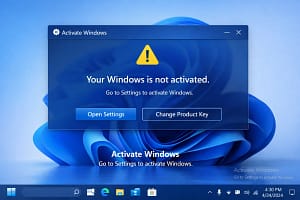
how to check original windows product key through command prompt in windows 11 2026

Below is a complete, detailed, and beginner-friendly guide on:
How to Check Original Windows Product Key Using Command Prompt in Windows 11 (2026 Guide)
(Also works for Windows 10 & 8.1)
📌 Introduction
How to Check Original Windows Product Key Using Command Prompt in Windows 11 (2026 )
Every genuine Windows installation comes with a Product Key (also called a license key) that proves your copy of Windows is original and activated legally.
In Windows 11, Microsoft introduced digital licensing, so many systems no longer display the full 25-character key. However, Command Prompt (CMD) can still help you:
✔ Check if Windows is activated
✔ View embedded OEM product key
✔ Verify license type
✔ Confirm originality
This article explains everything in detail, without using any third-party software.
🧠 What Is a Windows Product Key?
how to check original windows product key through command prompt in windows 11 2026
A Windows Product Key is a 25-character alphanumeric code, like:


XXXXX-XXXXX-XXXXX-XXXXX-XXXXX
Types of Windows Keys
| License Type | Description |
|---|---|
| OEM Key | Preinstalled by manufacturer (HP, Dell, Lenovo) |
| Retail Key | Purchased separately from Microsoft |
| Volume Key | Used by offices & organizations |
| Digital License | Linked to Microsoft account (no visible key) |
⚠ Important Limitations (Must Know)
how to check original windows product key through command prompt in windows 11 2026
Before starting, understand this:
❌ CMD cannot always show full product key
✔ CMD can show OEM key embedded in BIOS
✔ CMD can verify activation status
If your Windows is activated using Digital License, CMD will show partial key only.
🛠 Method 1: Check OEM Product Key Using Command Prompt (Best Method)
This is the most reliable method to check original Windows key embedded in BIOS/UEFI.
Steps:
- Press Windows + S
- Type cmd
- Right-click Command Prompt
- Select Run as administrator
- Type the following command:
wmic path softwarelicensingservice get OA3xOriginalProductKey
- Press Enter
Output Example:
OA3xOriginalProductKey
XXXXX-XXXXX-XXXXX-XXXXX-XXXXX
✅ What This Means
- If a key appears → Your Windows is genuine OEM
- If blank → Digital license or retail activation
✔ Works on:
- Windows 11
- Windows 10
- Windows 8.1
🛠 Method 2: Check Windows Activation Status via CMD
how to check original windows product key through command prompt in windows 11 2026
This method confirms whether Windows is original and activated.
Command:
slmgr /xpr
Result Examples:
| Message | Meaning |
|---|---|
| Windows is permanently activated | Genuine & original |
| Activation will expire | Volume license |
| Not activated | Invalid or pirated |
🛠 Method 3: View Partial Product Key Using CMD
Windows hides the full key for security reasons but allows viewing the last 5 characters.
Command:
slmgr /dli
or
slmgr /dlv
Output Includes:
- License type
- Activation ID
- Partial Product Key (Last 5 characters)
Example:
Partial Product Key: ABCDE
License Status: Licensed
✔ Useful to verify matching key during reinstallation
🛠 Method 4: Using PowerShell (Advanced Users)
how to check original windows product key through command prompt in windows 11 2026
PowerShell can also retrieve the OEM key.

Steps:
- Press Windows + X
- Click Windows Terminal (Admin)
- Paste command:
(Get-WmiObject -query 'select * from SoftwareLicensingService').OA3xOriginalProductKey
✔ Output same as CMD method
🧪 Method 5: Check Digital License Status (No Key Displayed)
how to check original windows product key through command prompt in windows 11 2026
If CMD shows blank result, your system is activated using Digital License.
To confirm:
- Open Settings
- Go to System → Activation
- Look for:
Windows is activated with a digital license
✔ This means:
- Your license is genuine
- Linked to Microsoft Account
- No visible key
❓ Why CMD Sometimes Shows Blank Product Key?
| Reason | Explanation |
|---|---|
| Digital License | No stored key |
| Retail Activation | Key not embedded |
| Upgraded Windows | Original key replaced |
| Motherboard replaced | OEM key lost |
✔ This is normal behavior, not an error.
🔐 Is It Safe to Use CMD to Check Product Key?
how to check original windows product key through command prompt in windows 11 2026
✅ Yes, 100% safe
❌ No data loss
❌ No risk to Windows
❌ No internet required
CMD only reads system license info.
🆚 CMD vs Third-Party Tools
how to check original windows product key through command prompt in windows 11 2026
| Feature | CMD | Third-Party Tools |
|---|---|---|
| Safe | ✅ | ❌ Risky |
| Accurate | ✅ | ❌ Fake keys |
| Free | ✅ | ❌ Paid |
| Malware risk | ❌ | ⚠ High |
✔ CMD is always recommended
💡 Pro Tips (Very Important)
✔ Save OEM key before reinstalling Windows
✔ Take screenshot of CMD output
✔ Store key in cloud notes
✔ Avoid cracked activators
🧾 Can I Use This Key to Reinstall Windows?
how to check original windows product key through command prompt in windows 11 2026

| License Type | Reuse Allowed |
|---|---|
| OEM | Same PC only |
| Retail | Transferable |
| Digital License | Auto-activate |
✔ Windows 11 automatically detects OEM key during installation
🧠 Frequently Asked Questions (FAQ)
Q1: Can CMD show full key on all PCs?
❌ No. Only OEM embedded keys.
Q2: Is digital license original?
✅ Yes, officially activated by Microsoft.
Q3: Can I check Windows key without admin rights?
❌ No. Admin access required.
Q4: Does this work on Windows 10 & 8.1?
✅ Yes, all methods work.
📌 Final Conclusion
how to check original windows product key through command prompt in windows 11 2026
Using Command Prompt, you can:
please subscribe my website to click here
✔ Verify original Windows activation
✔ Retrieve OEM product key
✔ Confirm license type
✔ Avoid fake activations
✅ Best Command (Recommended):
wmic path softwarelicensingservice get OA3xOriginalProductKey
If nothing appears, don’t worry—your Windows is likely activated with a digital license, which is 100% genuine.





