


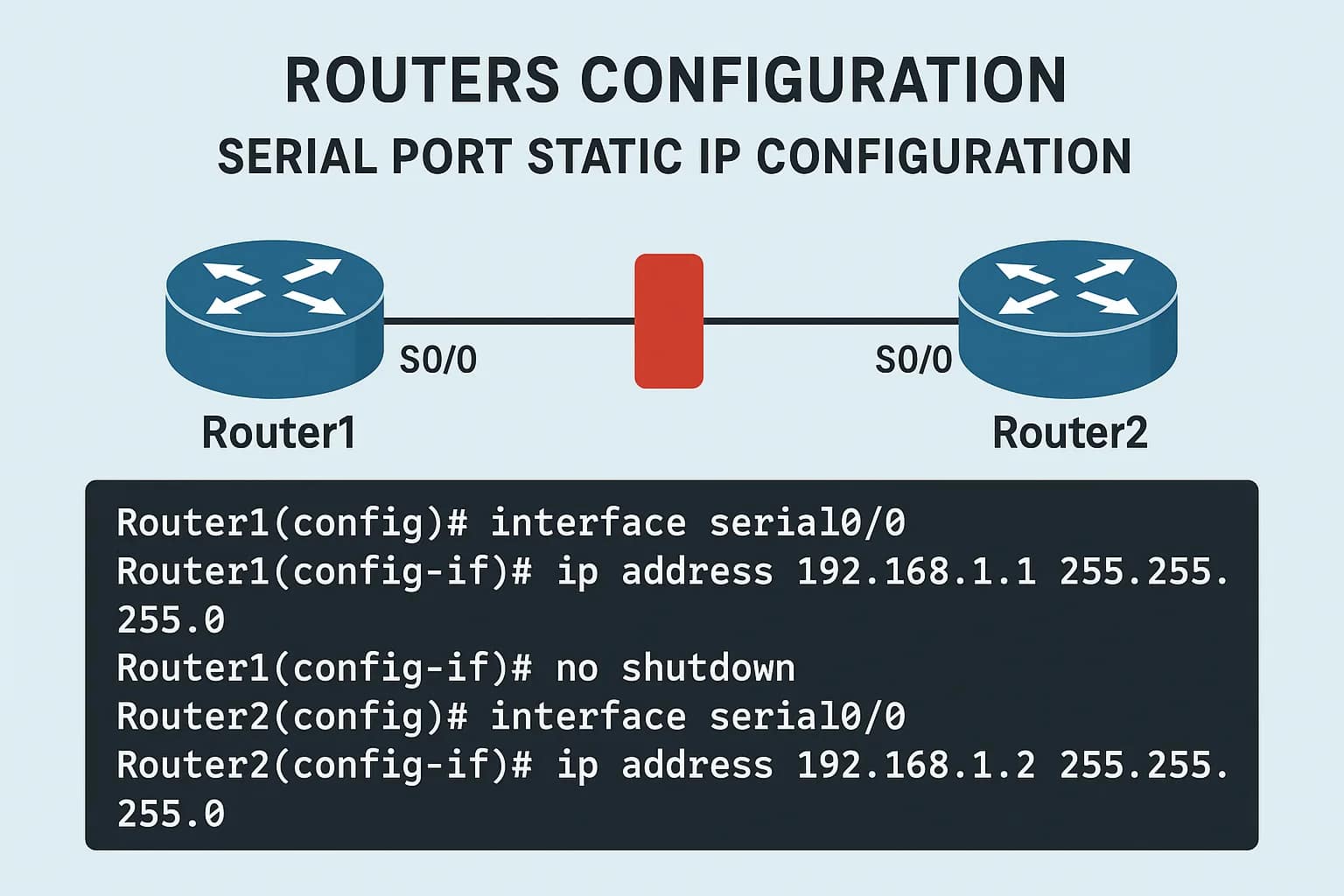


Below is a complete, step-by-step guide for Two Routers Configuration using Serial Port with Static IP, written in simple technical English, suitable for 2025 networking syllabus, CCNA basics, interviews, and practical labs.
TWO ROUTERS CONFIGURATION WITH SERIAL PORT
STATIC IP CONFIGURATION WITH COMMANDS (2025)
1. INTRODUCTION
two routers configuration with serial port static ip configuration with commands 2025
two routers configuration with serial port static ip configurationtwo routers configuration with serial port static ip configurationIn computer networking, router-to-router communication is commonly achieved using serial interfaces, especially in WAN (Wide Area Network) environments. Serial connections were widely used in leased lines, PPP, HDLC, and point-to-point communication.
In this tutorial, we will configure two Cisco routers connected via a serial cable, assign static IP addresses, and verify communication using commands.
This guide is useful for:
- Networking students
- CCNA beginners
- Hardware & Networking interviews
- Lab practice (Packet Tracer / Real Router)
2. NETWORK TOPOLOGY OVERVIEW
two routers configuration with serial port static ip configuration with commands 2025
Devices Used:
- Router 1 (R1)
- Router 2 (R2)
- Serial Cable (DCE – DTE)
- (Optional) PCs for testing
Topology Diagram (Concept)
        Serial Cable
   R1 ================= R2
   S0/0/0           S0/0/0
3. REQUIREMENTS
two routers configuration with serial port static ip configuration with commands 2025
Hardware / Software:
- Cisco Packet Tracer (Latest version – 2025)
- Two Cisco Routers (e.g., 2811 / 1941 / 2911)
- Serial DCE Cable
Knowledge Required:
- Basic router commands
- Interface concepts
- IP addressing
4. SERIAL INTERFACE BASICS
two routers configuration with serial port static ip configuration with commands 2025
What is a Serial Interface?
A serial interface transmits data one bit at a time and is used for WAN connections.
DCE and DTE:
- DCE (Data Communication Equipment)
- Provides clock rate
- DTE (Data Terminal Equipment)
- Receives clock rate
⚠️ Clock rate must be set on the DCE side only
5. IP ADDRESSING PLAN
two routers configuration with serial port static ip configuration with commands 2025
| Device | Interface | IP Address | Subnet Mask |
|---|---|---|---|
| R1 | Serial0/0/0 | 10.0.0.1 | 255.255.255.252 |
| R2 | Serial0/0/0 | 10.0.0.2 | 255.255.255.252 |
We use /30 subnet because it is best for point-to-point links.
6. INITIAL ROUTER SETUP (BASIC COMMANDS)
two routers configuration with serial port static ip configuration with commands 2025
Step 1: Access Router CLI
Router>
Step 2: Enter Privileged Mode
Router> enable
Router#
Step 3: Enter Global Configuration Mode
Router# configure terminal
Router(config)#
7. ROUTER 1 CONFIGURATION (R1)
two routers configuration with serial port static ip configuration with commands 2025
Step 1: Set Hostname
Router(config)# hostname R1
R1(config)#
Step 2: Configure Serial Interface
R1(config)# interface serial 0/0/0
R1(config-if)# ip address 10.0.0.1 255.255.255.252
R1(config-if)# no shutdown
Step 3: Set Clock Rate (If R1 is DCE)
Check cable type:
R1# show controllers serial 0/0/0
If DCE, configure clock rate:
R1(config-if)# clock rate 64000
Step 4: Exit Interface Mode
R1(config-if)# exit
R1(config)#
Step 5: Save Configuration
R1# write memory
or
R1# copy running-config startup-config
8. ROUTER 2 CONFIGURATION (R2)
two routers configuration with serial port static ip configuration with commands 2025
Step 1: Set Hostname
Router(config)# hostname R2
R2(config)#
Step 2: Configure Serial Interface
R2(config)# interface serial 0/0/0
R2(config-if)# ip address 10.0.0.2 255.255.255.252
R2(config-if)# no shutdown
⚠️ Do NOT set clock rate on DTE side
Step 3: Exit Interface Mode
R2(config-if)# exit
Step 4: Save Configuration
R2# write memory
9. VERIFYING CONFIGURATION
two routers configuration with serial port static ip configuration with commands 2025
1. Check Interface Status
R1# show ip interface brief
Expected Output:
Serial0/0/0 10.0.0.1 YES manual up up
R2# show ip interface brief
Expected Output:
Serial0/0/0 10.0.0.2 YES manual up up
2. Ping Test (Connectivity Check)
From R1:
R1# ping 10.0.0.2
Successful Output:


!!!!!
Success rate is 100 percent
From R2:
R2# ping 10.0.0.1
10. COMMON TROUBLESHOOTING COMMANDS
two routers configuration with serial port static ip configuration with commands 2025
1. Check Interface Details
show interfaces serial 0/0/0
2. Check Running Configuration
show running-config
3. Check Clock Rate
show controllers serial 0/0/0
4. Enable Debugging (Optional)
debug serial interface
Disable debugging:
undebug all
11. COMMON ERRORS & SOLUTIONS
two routers configuration with serial port static ip configuration with commands 2025
❌ Interface Down
Solution:
no shutdown
❌ Clock Rate Not Set
Solution:
Set clock rate on DCE side
❌ Wrong IP Address
Solution:
Verify IP & subnet
❌ Encapsulation Mismatch
Default is HDLC
(Optional change to PPP)
encapsulation ppp
12. OPTIONAL: ENCAPSULATION CONFIGURATION
two routers configuration with serial port static ip configuration with commands 2025
Change HDLC to PPP (Both Routers)
interface serial 0/0/0
encapsulation ppp
13. STATIC ROUTING (OPTIONAL – IF LANs ARE ADDED)
two routers configuration with serial port static ip configuration with commands 2025
If each router has a LAN:
ip route <destination> <subnet> <next-hop>
Example:
ip route 192.168.2.0 255.255.255.0 10.0.0.2
14. REAL-TIME USE CASES
two routers configuration with serial port static ip configuration with commands 2025
- ISP point-to-point links
- Dedicated leased lines
- Backup WAN links
- Network lab training
- CCNA / Interview practice
15. INTERVIEW QUESTIONS (IMPORTANT)
two routers configuration with serial port static ip configuration with commands 2025
- What is a serial interface?
- Difference between DCE and DTE?
- Why clock rate is required?
- Why /30 subnet used?
- Default encapsulation on serial link?
- Command to check serial status?
- What happens if clock rate is not set?
16. SUMMARY
two routers configuration with serial port static ip configuration with commands 2025
✔ Two routers connected using serial cable
✔ Static IP configuration
✔ Clock rate on DCE side
✔ Interface verification
✔ Ping testing successful
This is the foundation of WAN configuration and very important for networking careers in 2025.
static ip address configuration two router with serial cable
router0
========

router>en
router#config t
router(config)#hostname r0
r0(config)#interface f0/0
r0(config-if)#ip add 10.0.0.1 255.0.0.0
r0(config-if)#no shutdown
r0(config-if)#exit
r0(config)#interface s1/0
ro(config-if)#ip add 30.0.0.1 255.0.0.0
r0(config-if)#clock rate 64000
r0(config-if)#no shutdown
r0(config-if)#exit
r0(config)#
routing part
=============
r0(config)#ip route 20.0.0.0 255.0.0.0 30.0.0.2
ro(config-if)#exit
ro(config)#ip route 10.0.0.0 255.0.0.0 30.0.0.2
ro(config)#ip route 20.0.0.0 255.0.0.0 30.0.0.2
ro(config)#ip route 30.0.0.0 255.0.0.0 30.0.0.2
router1
================
router>en
router#config t
router(config)#hostname r1
r1(config)#interface f0/0

r1(config-if)#ip add 20.0.0.1 255.0.0.0
r1(config-if)#no shutdown
r1(config-if)#exit
r1(config)#interface s1/0
r1(config-if)#ip add 30.0.0.2 255.0.0.0
r1(config-if)#no shutdown
r1(config-if)#exit
r1(config)#
routing part
=============
r1(config)#ip route 10.0.0.0 255.0.0.0 30.0.0.1
r1(config)#ip route 10.0.0.0 255.0.0.0 30.0.0.1
r1(config)#ip route 20.0.0.0 255.0.0.0 30.0.0.1
r1(config)#ip route 30.0.0.0 255.0.0.0 30.0.0.1
switch configuration
cisco 2950 switch configuration
sw 0
Switch>en
Switch#vlan database
Switch(vlan)#vlan 10 name admin
Switch(vlan)#vlan 20 name mark
Switch#sh vlan
Switch#conf t
Switch(config)#int f0/1
Switch(config-if)#switchport access vlan 10
Switch(config-if)#int f0/2
Switch#exit
sw 1
Switch>en
Switch#vlan database
Switch(vlan)#vlan 10 name hr
Switch(vlan)#vlan 20 name agents
Switch#sh vlan
Switch#conf t
Switch(config)#int f0/1
Switch(config-if)#switchport access vlan 10
Switch(config-if)#int f0/2
Switch#exit
If you want next:
please subscribe my website like and share other to click here





